
Sakura Mobile Pocket WiFi
BEST SELLERJapan-focused rental
- Share one connection
- English-language support
- Delivery or pickup
- Return after use
Share internet across phones, tablets, and laptops.
Featured options
Japan-focused rental
Group travel option
A shared router works best when everyone stays together.
Check My FamilyConfirm pickup, delivery, and return details.
The maximum depends on the router model and provider. Even when many devices are technically supported, speed and battery performance may decline when several devices are active at once.
Many providers offer airport collection, but available airports, terminals, counters, opening hours, and advance-booking deadlines differ.
Late fees or additional rental charges may apply. Check the provider’s return deadline and instructions before leaving Japan.
Pocket Wi-Fi is often better for groups and multiple devices. eSIM is usually more convenient for one traveler with a compatible unlocked phone.
It is not always required, but it is useful for long days because battery life changes with signal quality, usage, and the number of connected devices.
Get a recommendation matched to your group.
Find My Best OptionJapan pocket Wi-Fi guide
Pocket Wi-Fi can connect several phones, tablets, and laptops through one rental router. The main trade-off is that you must collect, charge, carry, protect, and return the device.
For most families, groups, or travelers carrying several devices, pocket Wi-Fi is a practical way to share one connection without changing any phone settings. Solo travelers with a single compatible phone are often better served by an eSIM.
Some links on this page may be affiliate links. Recommendations are based on traveler suitability, not commission availability.
Editorial review updated: July 2026. Provider details may change — confirm current pricing, pickup, and return conditions on the official site.
The basics
Pocket Wi-Fi is a small rechargeable router that connects to a mobile network and creates a private Wi-Fi network around you.
Instead of installing an eSIM or replacing a physical SIM, you connect your phone, tablet, or laptop using the Wi-Fi network name and password provided with the device.
Most visitor services in Japan operate as rentals. You collect or receive the router at the start of the trip and return it before or after departure according to the provider’s rules.
Main advantages
One router can connect multiple phones, tablets, and laptops when travelers remain together.
You do not need to remove your home SIM or install a digital mobile profile.
Turn on the router, find the network name, and enter the supplied password.
Families and travel groups may find one shared router easier than arranging several separate plans.
Before booking
Pickup and return details can matter more than a small price difference, especially around early flights, late arrivals, and airport transfers.
Confirm the exact airport terminal, counter, post office, hotel, or delivery address before booking.
Late-night or early-morning arrivals may fall outside counter or post-office operating hours.
Airport or hotel delivery usually requires advance booking before a stated cutoff.
Check whether the device must be returned at an airport counter, by prepaid envelope, or another specified method.
Real battery life depends on connected devices, signal strength, temperature, and continuous use.
Unlimited does not always mean unrestricted full-speed data. Fair-use or congestion policies may apply.
Rental process
Exact procedures differ by provider, airport, and delivery method, but the general flow is similar.
Match the start and end dates to your arrival, departure, pickup, and return schedule.
Enter traveler details, delivery or pickup information, and the required rental dates.
Pick it up at the chosen airport or receive it at a hotel, residence, or other supported location.
Turn on the router and connect each device using the Wi-Fi name and password.
Keep the router charged and consider carrying a power bank for long sightseeing days.
Return the router, cable, adapter, case, and any included accessories by the stated deadline.
Confirm the final return deadline before traveling to the airport. Some return methods must be completed before airport security or before a counter closes.
Who is it best for?
Strong option
Useful when parents and children carry several phones or tablets and stay together.
Strong option
One shared rental can be convenient when the group follows the same itinerary.
Worth comparing
Helpful for travelers who need to connect a laptop or several work devices.
Compare with eSIM
An eSIM is often simpler because there is no rental equipment to collect, charge, or return.
Pocket Wi-Fi or eSIM?
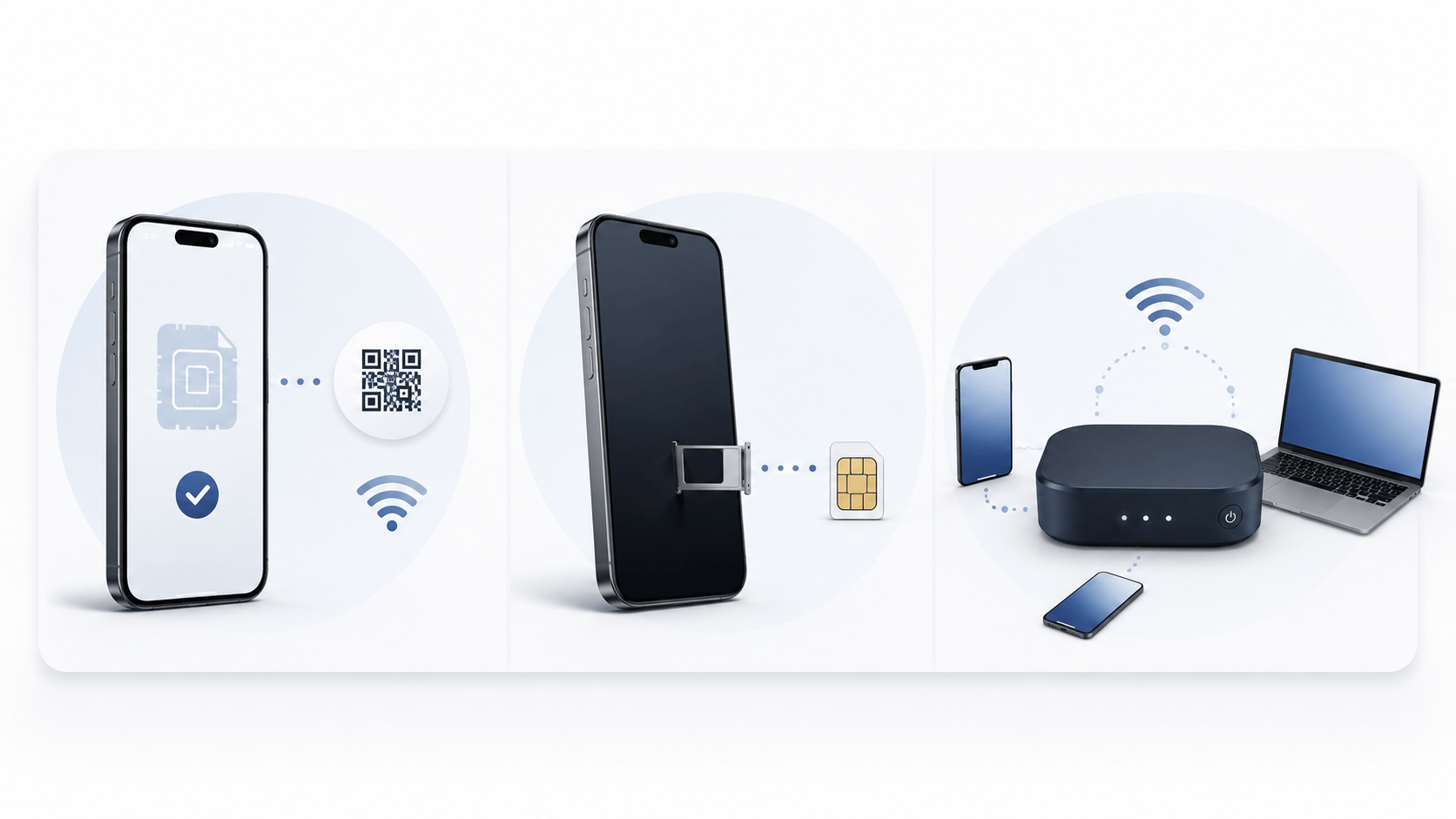
Pocket Wi-Fi is built for sharing, but the group must remain close to the router. eSIM is attached to one phone, but there is no equipment to carry or return.
Avoid these mistakes
Booking airport pickup without checking the correct terminal
Arriving after the pickup counter has closed
Forgetting that everyone loses internet when the group separates
Leaving the router uncharged before a full sightseeing day
Assuming every unlimited plan offers unlimited full-speed data
Returning only the router and forgetting cables or accessories
Missing the return deadline and creating extra charges
Putting the router in checked baggage while other devices still need access
Provider guides
Confirm current pricing, availability, and pickup or return conditions on each provider's official site before booking. See the Best Pocket WiFi for Japan comparison for a side-by-side summary of these options.
Pocket Wi-Fi · eSIM
Offers a Pocket WiFi rental alongside an eSIM option. Compare delivery, airport collection, return instructions, included equipment, and current rental conditions.
Pocket Wi-Fi
Compare airport pickup locations, operating hours, router plans, and return conditions.
eSIM · SIM · Pocket Wi-Fi
Compare Japan-focused support, delivery options, product types, and suitability for different trip lengths.
FAQ
The maximum depends on the router model and provider. Even when many devices are technically supported, speed and battery performance may decline when several devices are active at once.
Many providers offer airport collection, but available airports, terminals, counters, opening hours, and advance-booking deadlines differ.
Late fees or additional rental charges may apply. Check the provider’s return deadline and instructions before leaving Japan.
Pocket Wi-Fi is often better for groups and multiple devices. eSIM is usually more convenient for one traveler with a compatible unlocked phone.
It is not always required, but it is useful for long days because battery life changes with signal quality, usage, and the number of connected devices.
Still deciding?
The right choice depends on your phone, group size, number of devices, arrival airport, and willingness to carry rental equipment.