
Airalo Japan eSIM
POPULARJapan eSIM 5GB
5GB · Confirm validity before buying
A smaller-data option for maps, messaging, and light use.
High-speed dataDigital installationProvider support
Current priceCheck provider
View DetailsInstant setup for compatible unlocked phones.
Featured plans
5GB · Confirm validity before buying
A smaller-data option for maps, messaging, and light use.
10GB · Confirm validity before buying
A mid-size option for regular browsing, maps, and social use.
20GB · Confirm validity before buying
A larger-data option for travelers expecting heavier use.
Confirm eSIM support and carrier-unlocked status. See the iPhone guide or Android guide.
Often yes. Many providers allow installation before departure, but the validity period may begin at installation, activation, or first network connection. Always check the exact plan rules.
Some travel eSIMs require data roaming on because they connect through a partner network. Follow the provider’s instructions and make sure the home SIM is not being used for mobile data.
Many dual-SIM phones can keep the home SIM active while the Japan eSIM handles data. However, receiving calls or messages may still create roaming charges depending on your carrier.
Check that the eSIM is enabled, selected for mobile data, configured according to the provider’s roaming instructions, and connected to an available network. Restarting the phone may also help.
eSIM is usually more convenient for one compatible phone. Pocket Wi-Fi may be better for families, groups, laptops, tablets, or several devices that remain together.
Get a recommendation matched to your trip.
Find My Best OptionJapan eSIM guide
Learn how travel eSIMs work, confirm whether your phone is compatible, understand activation timing, and avoid the most common arrival-day mistakes.
Provider affiliate applications are currently under review. This guide does not rank providers according to commission availability.
Less ideal if
The basics
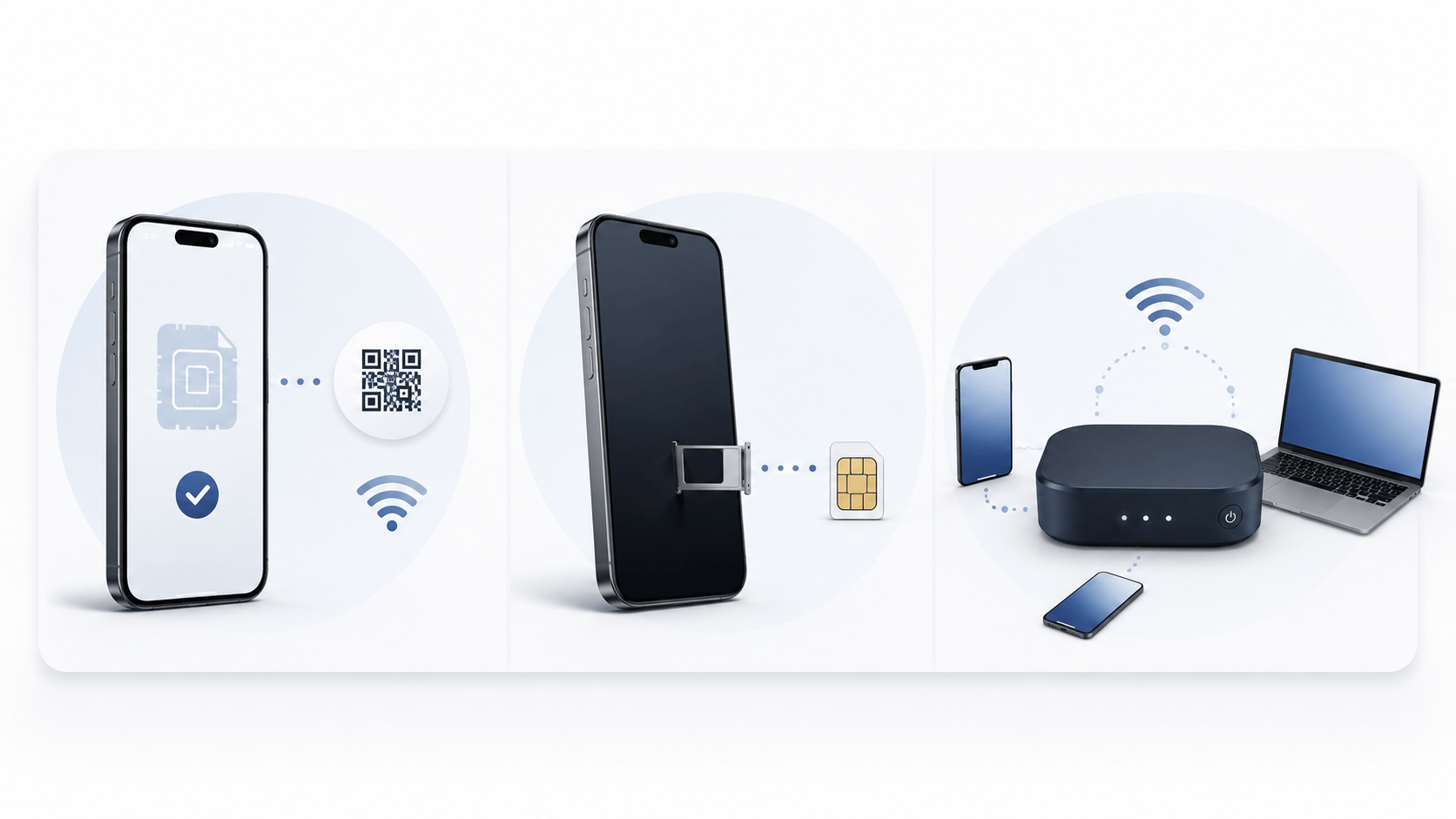
An eSIM is a digital mobile profile installed directly on a compatible phone. Instead of inserting a plastic SIM card, you usually scan a QR code, use a provider app, or enter activation details manually.
A Japan travel eSIM normally provides mobile data during a limited validity period. Many travel plans do not include a Japanese telephone number, standard voice calls, or SMS.
The eSIM format is convenient, but the exact plan rules still matter. Coverage, speed, data allowance, validity, hotspot use, activation timing, and support can differ significantly.
Main advantages
Purchase and install the plan digitally without waiting at a counter or arranging physical delivery.
Many dual-SIM phones let you keep your usual SIM installed while using the Japan eSIM for mobile data.
You can often install the eSIM before flying, then activate or connect it after arriving in Japan.
There is no separate router to charge, carry, protect, or return after the trip.
Before buying
A cheap plan is not useful if the phone is incompatible, the validity begins too early, or support is unavailable when installation fails.
Not every phone model includes eSIM support. Compatibility can also differ by country, carrier, and device version.
A carrier-locked phone may reject a travel eSIM even when the model itself supports eSIM.
Some plans begin after installation, while others begin after activation or the first connection to a supported network.
Hotspot use may be supported, restricted, or excluded depending on the exact plan.
The connection may stop, slow down, or require a top-up after the high-speed allowance is used.
Check whether the provider offers clear English setup instructions and practical help if installation fails.
Setup process
The exact menus vary by phone and provider, but the overall process is usually similar. For device-specific steps, see the iPhone eSIM guide or the Android eSIM guide.
Check the exact phone model, eSIM support, carrier-lock status, and supported network bands.
Compare data allowance, validity, network information, tethering, activation timing, support, and refund conditions.
Use the provider’s QR code, app, or manual activation details while connected to stable Wi-Fi.
Give the home line and Japan line clear names so you do not accidentally use the wrong connection.
Select the Japan eSIM as the mobile-data line and follow the provider’s instructions for data roaming.
Turn airplane mode off, confirm the correct line is active, and restart the phone if the network does not connect.
Do not delete the eSIM profile simply because the connection does not work immediately. Some providers do not allow the same profile or QR code to be installed again.
eSIM or another option?
Avoid these mistakes
Buying before confirming that the exact phone model supports eSIM
Assuming an eSIM-compatible phone is automatically carrier-unlocked
Activating a plan too early and losing part of the validity period
Deleting the eSIM profile before the trip is finished
Turning on international data for the home SIM by mistake
Expecting unlimited plans to provide unrestricted full-speed data
Ignoring tethering, cancellation, or refund restrictions
Sharing the eSIM QR code or activation details publicly
FAQ
Often yes. Many providers allow installation before departure, but the validity period may begin at installation, activation, or first network connection. Always check the exact plan rules.
Some travel eSIMs require data roaming on because they connect through a partner network. Follow the provider’s instructions and make sure the home SIM is not being used for mobile data.
Many dual-SIM phones can keep the home SIM active while the Japan eSIM handles data. However, receiving calls or messages may still create roaming charges depending on your carrier.
Check that the eSIM is enabled, selected for mobile data, configured according to the provider’s roaming instructions, and connected to an available network. Restarting the phone may also help.
eSIM is usually more convenient for one compatible phone. Pocket Wi-Fi may be better for families, groups, laptops, tablets, or several devices that remain together.
Ready to compare?
Compare setup, compatibility, validity, data allowance, support, and travel style before making a decision.