
Fastest when prepared
Japan airport internet guide
Get connected after landing without searching the wrong terminal
Plan your eSIM activation, physical SIM collection, or pocket Wi-Fi pickup before departure. Airport, terminal, opening hours, booking deadlines, and return rules all matter.
Airport services and operating hours can change. Confirm the latest pickup and return instructions directly with the provider before traveling.
Before departure
Complete these checks before boarding your flight
Most airport internet problems begin before the traveler reaches Japan.
Confirm the airport
Tokyo has both Narita and Haneda. Osaka-area travelers may use Kansai International Airport or another regional airport.
Confirm the terminal
A provider may operate only in certain terminals. Changing terminals after immigration can take significant time.
Check the arrival time
A delayed evening flight may arrive after a counter or airport post office closes.
Check the booking deadline
Airport pickup and hotel delivery often require reservations several days before arrival.
Save the confirmation
Keep the booking number, pickup instructions, map, and provider contact details available offline.
Prepare backup internet
Download essential maps, hotel details, railway routes, and translation information before departure.
Major international gateways
Airport-specific planning notes
These notes explain what to verify. Exact counters, providers, opening hours, and terminal services should always be checked before travel.
Narita Airport
A major international gateway east of central Tokyo. Confirm the exact terminal because transfer time between terminals can be substantial.
Haneda Airport
Closer to central Tokyo. International arrivals may use different terminals depending on the airline and route.
Kansai International Airport
A major gateway for Osaka, Kyoto, Kobe, and western Japan. Check whether pickup is in Terminal 1, Terminal 2, or another location.
Chubu Centrair
A main international airport for Nagoya and central Japan. Confirm counter location and arrival-hall access.
Fukuoka Airport
Convenient for Kyushu travel. Domestic and international terminal arrangements differ, so verify the collection point.
New Chitose Airport
The main gateway for Sapporo and Hokkaido. Weather disruption can affect arrival and counter timing during winter.
After landing
A practical arrival-day sequence
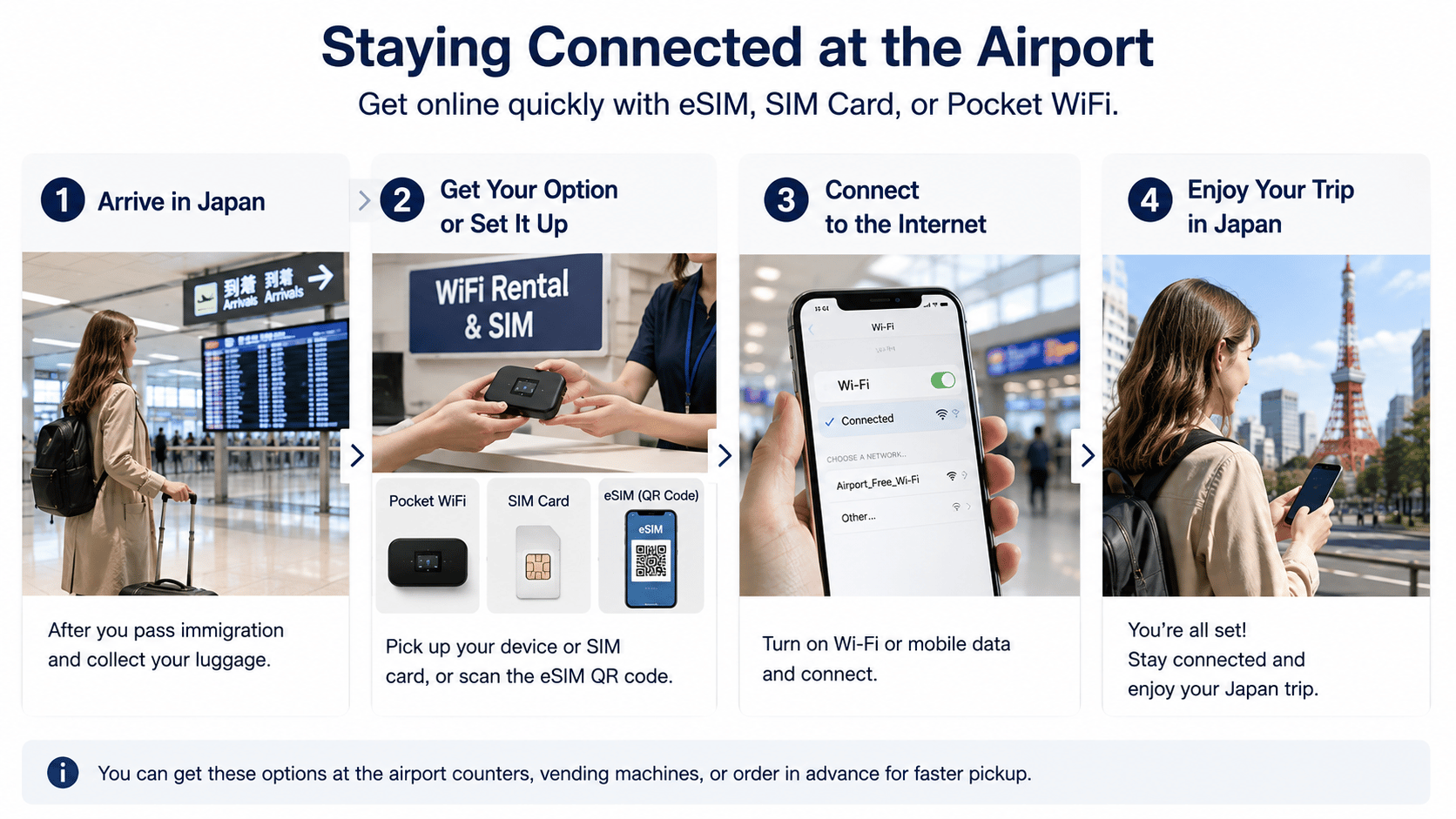
Land and complete arrival procedures
Pass through immigration, baggage claim, and customs before heading to most public arrival-area counters.
Connect to airport Wi-Fi if necessary
Use airport Wi-Fi to retrieve booking information, but keep critical instructions saved offline as a backup.
Go to the correct pickup location
Follow the provider’s terminal, floor, counter, post-office, or delivery instructions exactly.
Check the package
Confirm the SIM, router, charger, cable, adapter, return envelope, and instructions before leaving.
Test the connection
Activate the eSIM, install the physical SIM, or power on the router while help is still nearby.
Save return instructions
Pocket Wi-Fi rentals may require airport return, postal return, or another procedure before departure.
Do not leave immediately:
Test the connection while you are still close to the pickup counter or airport support area. Problems are harder to solve after boarding a train or bus.
Late-night arrivals
Prepare a plan that does not depend on an open counter
Use a pre-installed eSIM
This is usually the least dependent on airport counter opening hours.
Arrange hotel delivery
Confirm that the hotel accepts parcels and that delivery will occur before or on your arrival date.
Use airport Wi-Fi temporarily
This can help with initial messages and directions, but it does not replace mobile internet after leaving the airport.
Use roaming as an emergency backup
Check your home carrier’s charges first because international roaming can be expensive.
Choose before arrival
Airport pickup is convenient, but it is not always necessary
An eSIM can remove pickup logistics entirely. Physical SIM and pocket Wi-Fi remain useful when device compatibility, group size, or multiple-device use makes them a better fit.
Avoid these mistakes
Common airport internet problems
!
Booking pickup at Narita when the flight arrives at Haneda
!
Choosing the right airport but the wrong terminal
!
Assuming an airport counter stays open until the final flight
!
Forgetting to account for immigration and baggage delays
!
Keeping the pickup confirmation only in an online email
!
Leaving the counter before testing the SIM or router
!
Forgetting the return envelope or rental accessories
!
Passing airport security before completing a required return
FAQ
Japan airport internet questions
Can I buy a SIM card at the airport after landing?
Often yes, but availability, inventory, price, support, opening hours, and compatibility assistance vary. Reserving in advance is usually more predictable.
Can I collect pocket Wi-Fi at any terminal?
Not necessarily. Providers may support only specific terminals, counters, post offices, or delivery points.
What happens if my flight arrives after the counter closes?
You may need to use a pre-installed eSIM, hotel delivery, airport Wi-Fi, roaming, or another temporary connection method.
Should I activate my eSIM before arriving in Japan?
Installation before departure is usually helpful, but activation and validity rules differ. Follow the provider’s instructions so the plan does not start too early.
Can I return pocket Wi-Fi at the airport?
Many services allow airport or postal return, but the accepted location, terminal, deadline, and security-area restrictions depend on the provider.
Plan before flying
Choose your Japan internet method before arrival day
Compare device compatibility, airport logistics, group size, setup effort, and return requirements.